Showing posts with label makerspace. Show all posts

Thursday, May 30, 2019

After School Makerspace Program 2018-2019

This year, the Makerspace Mentors of Ashland High School ran 8 after school programs for local middle school students and elementary school students. These programs included, 3D design, 3D printing, woodworking, electronics, scratch, technology tear down, and flying objects. It was such a privilege to be able to serve as a mentor and get to know so many creative and fun kids in our district. Here are some highlights of the past year:

 The Mindess elementary school students started off the year with a 3D design course. Mentors helped students learn how to use various tools in our makerspace, the Ashland Innovation Center. These tools included the styrofoam cutter and the scroll saw. This allowed the kids to become more familiar with the space and learn how to safely use power tools.

The children made fantastic projects spanning everything from the kawaii cactus (left) to a soccer net. As a mentor, it was really cool to see the fantastic things that the students could come up with, and it was gratifying to see them learn how to turn their imagination into reality.


Another Mindess session was woodworking. Mentors taught the kids how to responsibly use saws, hammers, drills, and more to create beautiful wooden creations. The kids chose to make either wooden frames or wooden boxes. It truly was a test of patience and precision, but they all successfully completed their projects.Then, they went on to make their own projects with the skills that they learned.


The Middle schoolers really enjoyed our new technology tear down session. Mentors showed students how to take apart computers, keyboards, toys, and more. Then, they made their own creations from salvaged parts.

This session encouraged students to pursue their curiosity and learn what's inside of everyday objects. They learned how to be not afraid to break things and to recycle electronic components.

Many thanks to all who donated tech to be taken apart, and we are always looking for donations!


To end the year for the Mindess kids, we ran a flying objects program. Students had the opportunity to make their own rockets, catapults, and miniature ziplines. They also got to play with wooden catapults that the high schoolers made and they got to fly drones.

We started by teaching the kids to make soda straw rockets to introduce them to the principles of flying objects. Then we moved to catapults to teach them about projectiles, and finished off the rocketry segment by making air pressure rockets.

Having the kids fly drones was quite a risk, but it was worth it as the kids and the mentors had so much fun.


Next year, we will continue to run programs and will introduce new sessions as well. Until then, have an awesome summer vacation!

Sunday, June 10, 2018

Reflections on Being a Makerspace Mentor

It's hard to believe that the 2017-2018 school year is coming to a close! This year, I had the privilege of serving as a Makerspace Mentor at the Ashland Innovation Center. I've learned a lot from the programs ranging from 3D Design to Robotics.

As a mentor, I am involved in planning the curriculum for each session. In the beginning of the year, I was really nervous. I would meticulously plan out each day, only to have the plans ruined by either moving too fast or too slow. So from working with the
kids this year, I learned that I don't have to plan each day down to the minute, and a loose plan of each day is best. However, it's also important to have extra activities planned in case some finish early.

Another lesson I learned is that we learn best by doing. Especially after school, elementary school aged children don't want to sit through another lesson or powerpoint. By giving the kids more time to explore, I noticed that the kids were more interested and seemed to learn more. For me, this meant taking a step back and not flying to the rescue to solve every little problem.

This year, I worked with an awesome group of kids and a fantastic group of fellow mentors. It's been really fun this year and I'm looking forward to seeing everyone again in the fall. Have an awesome summer!

PS: Check out the Ashland Innovation Center's new website!

Tuesday, April 10, 2018

3D Printing with Mindess

Almost every week at the Ashland Innovation Center, high school students serve as "Makerspace Mentors" and help Middle School and Mindess (grades 3-5) students learn about STEM. The most recent session of the AIC Mindess program was 3D Printing. It's been really fun and a great experience for everyone involved.

Monday, March 19, 2018

Soldering Iron: What is it and how does it work?


All About the Soldering Iron


              A soldering iron is a hand tool used in soldering. It supplies heat to melt solder so that it can flow into the joint between two work pieces. A soldering iron is composed of a heated metal tip and an insulated handle. The soldering iron here at the MakerSpace is typically used for fusing wires together with solder, and can really come in handy with circuitry.

Wednesday, October 18, 2017

GRAPHTEC Cutting Plotter CE6000-40: Vinyl Cutter

GRAPHTEC Cutting Plotter CE6000-40

 Vinyl Cutter


             The Graphtec CE6000-40 Vinyl Cutter is a very interesting and amazing machine that is available here at the AIC Makerspace. With this machine, you are able to express your ideas in vinyl form, as you are able to create your own designs to be printed. The Graphtec Vinyl Cutter can make your dreams a reality!


Photo Gallery of the Vinyl Cutter!


A few of  things the vinyl cutter can do are listed below:
Photo By Chris Connors

  • Labels! In a classroom or even your own home, vinyl stickers can be used as signage an labels. The signage in a classroom can indicate where things are located and exit signs etc.
  •  Decorate projects and walls with a vinyl cutter. The design that comes out in the vinyl sticker paper is in the control of the user, which allows for endless possibilities.
  •  T-shirts- A commonly used method of transferring your design onto a t-shirt is called silkscreening. This is simply the transfer of an image onto a t-shirt through areas blocked off in the vinyl. A tutorial on silkscreening with vinyl by maker Chris Connors is listed here: https://makezine.com/projects/make-36-boards/vinyl-silk-screen-printing
What we have already used the vinyl cutter for in the MakerSpace:

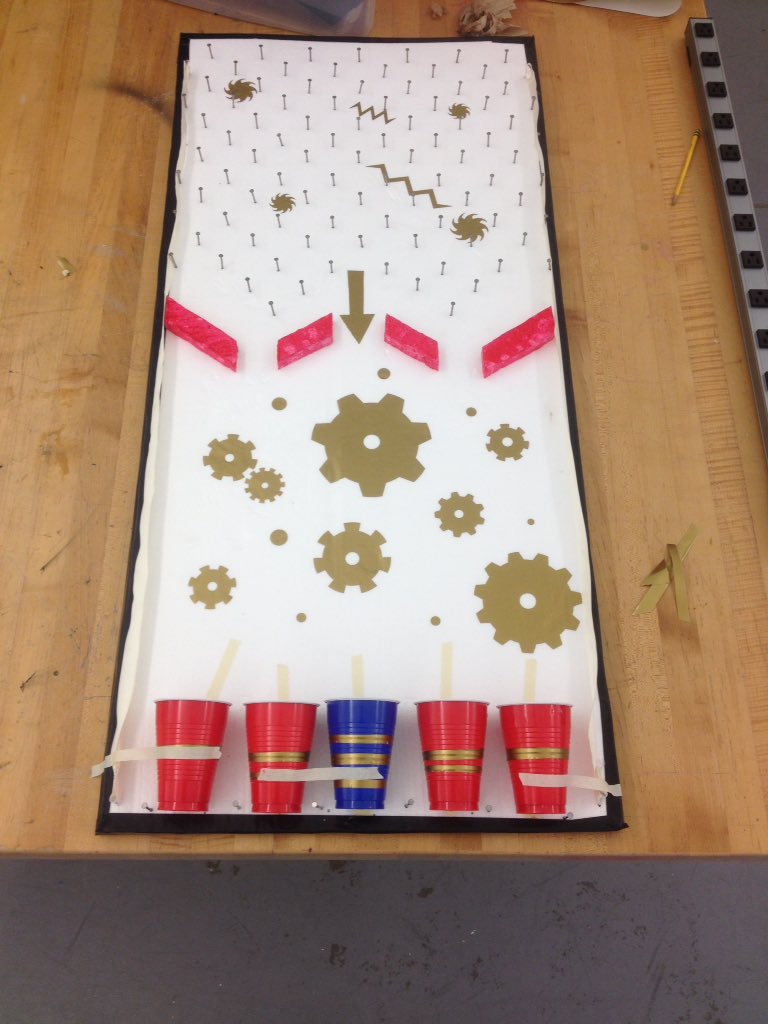
The Almost finished Plinko Board
Photo by Chad McGowan

      For Ashland Day, a few mentors (including me) got together to create a game for the kids to play while outside. We came up with the idea of a Plinko board; a game that is based on the luck of a ping-pong ball going through a series of obstacles made of nails to get a prize. To decorate it, we put vinyl stickers on the Plinko board, and it made the game look 100x better. For the sign, we printed out vinyl letters to paste on some cardboard, which looked very neat and complete because of the vinyl. 


          The Graphtec Vinyl Cutter here at the AIC Makerspace is one of our most prized possessions. As shown, it has proved to be a very useful machine for the mentors and will continue to prove so, as we start new projects with the Vinyl Cutter. Not only this, but the students that come by to the afterschool Makerspace programs will also be able to use this amazing machine, while the mentors get to watch their ideas come to life.  

Tuesday, October 17, 2017

Running a Maker-space: Inspiring Creativity and Ingenuity

Running a Maker-space: Inspiring Creativity and Ingenuity

A maker-space serves many purposes, providing access to tools, materials, and an environment that promotes creativity; however, there are many important factors to consider when creating and running a maker-space for students. 

There is a lot that I have learned from running the after school workshops for middle school students that I think are important for running the maker-space.

Carvey - A Makerspace Tool

Design Technology - Carvey 

 A New Machine!

     Once upon a time, my fellow G Block STAT students and I walk into the Makerspace room ready to be amazed. Mr. McGowan was testing the Carvey machine. This machine can carve into material put inside the machine. Carvey is an amazing 3D carving machine that allows quality objects to me made from materials such as wood, metal, and plastic.This remarkable piece of design technology can be used for student creativity. 


     Carvey can be used to teach students about digital manufacturing. With a software program known as "Easel", Carvey creates designs on the piece of material inside. This supports student creativity as it is designed for the classroom or any clean makerspace. Also, Carvey is a easy to use machine that is good for beginners and professionals. In the AIC, Carvey has been used to make signs and designs like the one shown above. 

     All in all, student creativity can flourish with the new machine, Carvey. For more information about this fascinating makerspace tool, click here. In addition, more information can be found about the software here. Learn about Carvey because it could easily become the future of tomorrow! 


Works Cited
"Bring Carving into the Classroom." Carvey®. N.p., n.d. Web.
"Easel - A Carving Machine." Easel. N.p., n.d. Web.


Monday, October 16, 2017

The Cardboard Cutting Tool

WORX WX081L ZipSnip Cutting Tool

If one is trying to cut out a shape in cardboard, the WORX WX081L ZipSnip Cutting Tool is the best tool to use. It is easy to take on the go with its small size. To properly use, it must be fully charged. If the cutting tool is not charged, it will not power on and therefore not work. It can be used on more than cardboard, the cutting tool can also be used to cut other materials such as rubber and carpet. The power button is on the top of the tool, with a grip on the bottom to place the other four fingers while pressing the power button with the thumb. The WORX WX081L ZipSnip Cutting Tool is an easy tool to use, no real training is needed. But, always make sure to not have a hand near the blade so that the tool does not cut someone. For more information about what the WORX WX081L ZipSnip cutting tool can cut, click here.


This machine can be used to make makerspace projects easier to do. Instead of taking several minutes using a box cutter to cut out a shape in cardboard, the WORX WX081L can do it in seconds. This reduced time helps so much on Tuesday after school, when the kids from the Mindess School come to learn about the potentials of the makerspace room. This machine helps for that because there is a line of kids who need something cut out of cardboard. The WORX WX081L cutting tool is also very precise. This allows it to cut cardboard along a line perfectly with no excess cardboard attached. The ability to have no excess cardboard is very useful because if measured correctly, the shapes cut out of the cardboard will perfectly fit together. The efficiency and preciseness of the WORX WX018L cutting tool makes it a very useful tool for makerspace.

The WORX WX081L ZipSnip Cutting Tool is very versatile and can be used in many situations. For example, if someone is trying to make a house out of cardboard, the WORX WX081L would be the best tool to use. It can cut the cardboard in little to no time, so the house can be made very quickly. also, this tool will be able to cut out the shapes of the house so precisely that they will be able to fit together. To see this product on Amazon, click here. This tool is an essential to many projects that can be done in makerspace, and it helps save so much time when easily cutting cardboard and other materials like it.

Thursday, October 12, 2017

AIC's DeWalt Scroll Saw


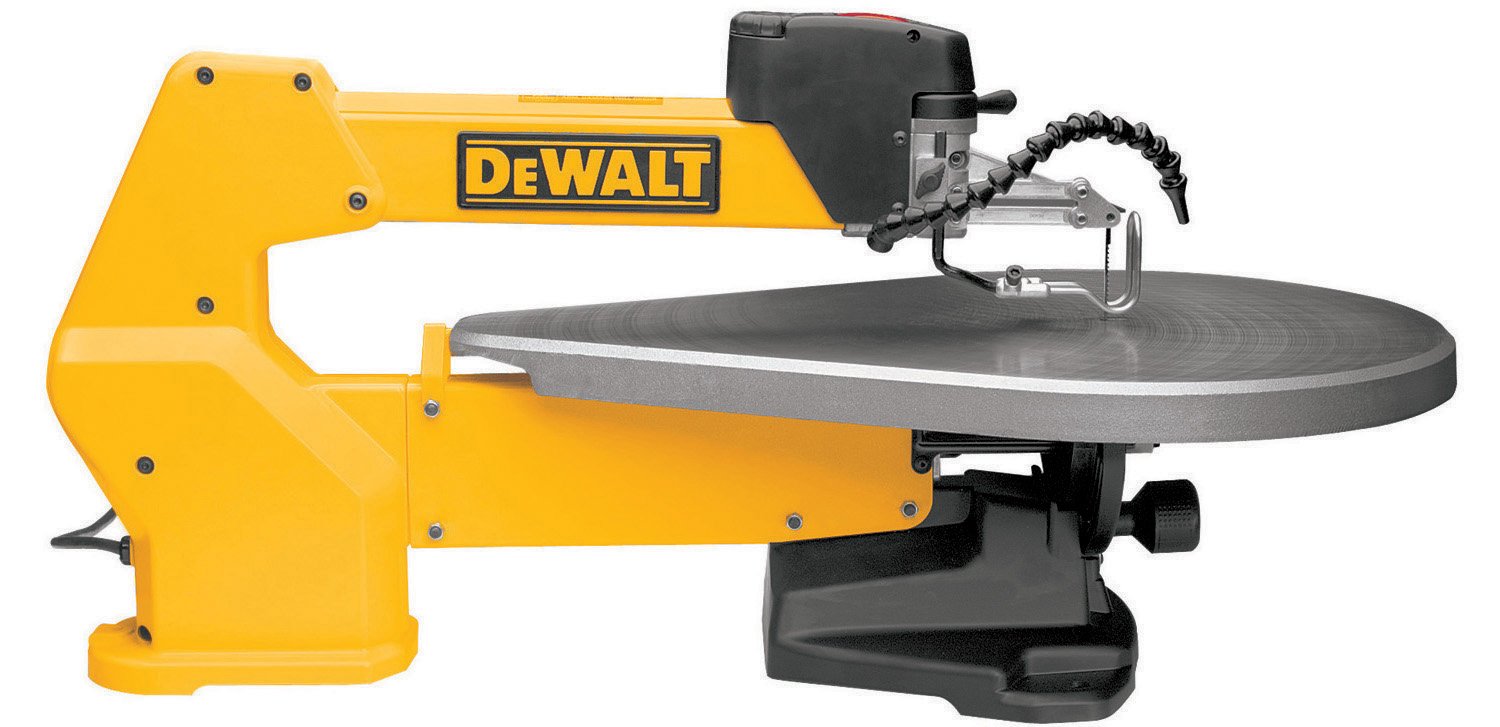
          Here at the Ashland Innovation Center, there are many useful and fun tools. One of these is the DeWalt Scroll Saw. The DeWalt Scroll Saw is used to cut cardboard and wood, as well as other materials. Though the scroll saw can be hard to use, if you understand how it works, there many wonderful thing you can do with it. This post will teach how to use this tool and what you can do with it.

Image result for dewalt scroll saw


 The rules to the Scroll Saw are not too difficult to learn.

Wednesday, October 11, 2017

AIC's Proxxon Thermocut


          Here at AIC, one of our favorite machines is the Proxxon's Hot Wire Thermocut. It is used to cut Styrofoam and other plastics. The thin metal wire is heated up and melts the Styrofoam, thus making a clean slice. Without the hot wire, it is very difficult to cut Styrofoam, because the edges crumble, leaving a rugged break rather than the smooth cut that the Thermocut provides. Because of its simplicity, students are able to bring their creations to life with ease.

Friday, September 22, 2017

3D Design With Mindess Students

3D Design With Mindess Students


        We had a blast working with the Mindess students this past Tuesday! Currently, we are working with the students enrolled in the Ashland Innovation Center's 3D Design course for Mindess students. This course introduces students to the materials and tools that we have here at AIC.

Sunday, April 2, 2017

Students Having Fun!

We started our second Mobile Makerspace program last week. This time we moved our program to the local 3-5 elementary school. Our goal was similar: Introduce young students to circuits. We had ten girls and ten boys show up on day one, as well as our five Makerspace Mentors (high school volunteer leaders) and our adult supervisor.


I could tell you how well it went, and how amazing the students all were, but instead I will let you read it from the email of one of our Mentors...

Thursday, March 30, 2017

Makerspace first impressions

When Mr. McGowan first approached me about this project, I didn't really know what it would entail, but I knew I wanted to be a part of it.  To be honest, I wasn't entirely sure what a makerspace was, and as Mr. McGowan explained it to me, all I could see was incredible opportunity and potential.  As I Googled what a makerspace was, I could see the various set ups and uses different schools had and started to think about how flexible the idea was... which is an ideal situation for figuring out how this could work in our community and in our schools.  

In a time where we are constantly using buzzwords such as "Common Core" and "standardized testing," we need to remember to give students time to be kids.  This is what was so appealing to me about the makerspace- the basic concept encouraged kids to invent, be creative, explore.  In the makerspace, they can use their innovation and problem solving skills to literally have a space to just make things.  It's an incredible concept! 

Our first few weeks bringing the mobile makerspace to Ashland Middle School was extremely successful.  I enjoyed seeing the creativity students were using as they learned about circuits and came up with their own project ideas.  I think the most powerful part of our program so far is the collaboration between students across grade levels.  Our high school students, the Makerspace Mentors, took an active approach to working with the middle school students, showing them how parts worked and encouraging their ideas.  It was inspiring to see our high school students turn into teachers through hands on demonstrations and explaining to students how things worked.  I was especially impressed at how the high school students could articulate to the middle school students the technicalities and potential of the kits they were using, instead of merely telling them what to do.  It was a true learning opportunity on both sides!

I don't know what types of projects the Mindess Elementary School students will come up with in our next session, but I know everyone will have fun and will leave wanting more.   Thank you to all of our supporters- we can't wait to continue to show you what fun everyone is having!

Wednesday, March 22, 2017

Pilot Program - The Mobile Makerspace

Two participants create while guided by a Makerspace Mentor
Within weeks of developing ideas for our permanent space, it was clear we didn't have the patience to wait for full funding, remodeling, etc. We felt we had something critical to offer our community and the team was ready to make it happen. To fast track our vision and meet the interests of our district schools, we came up with the idea of launching a mobile makerspace. This would give our Makerspace Mentors (high school students) an opportunity to pilot and learn what it is we are doing and what it is we don't yet know.

We devised a plan for two three-week sessions. These sessions would run more like a workshop, where we bring all of the materials, present some concepts and let the students guide things in a direction. Both sessions will

Monday, March 20, 2017

Our Makerspace team is growing, Now what?

Step 2 - Build a Vision

I didn't know where we were headed when we decided to pursue the Makerspace. While watching others share their interesting and inspiring stories through Twitter, online articles and beyond, it became clear there was no one way to go about setting up a Makerspace. What did we want to create?

Our primary objective is to build a space where students of all ages can feel safe taking chances to design, build, and create for the world we live in. Our computer science program has been growing strong over the past few years, and more and more students seem to be branching off into the land of Arduinos and Raspberry Pi's. Starting with these areas as foundational components of the 'what', we needed to answer a few other important questions.